Cutbank Storage
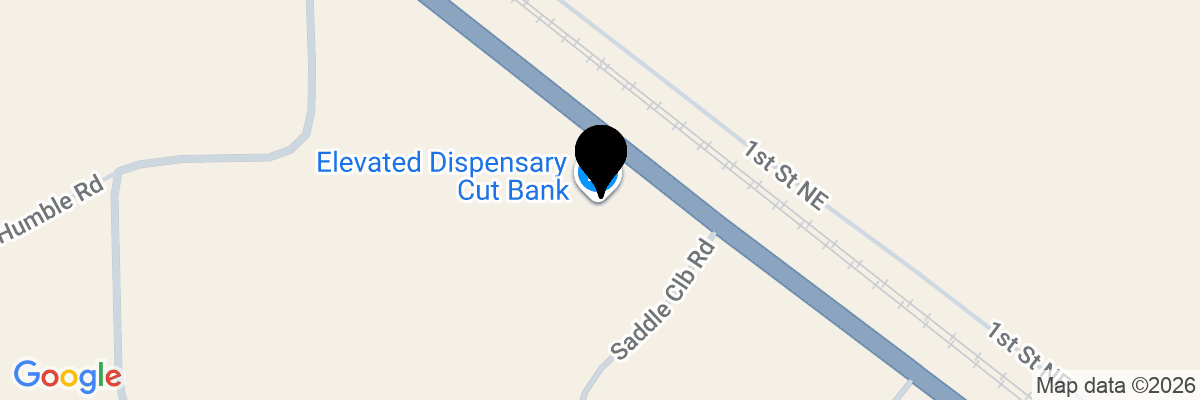
25694 US Hwy 2Cutbank, MT 59427
Facility Features
- Fully fenced and gated facility
- Keypad Gate Entry
- Driveway access / park nearby
- 24-Hour Kiosk
- Online Rental & Bill Pay
Storage Units in Cut Bank, MT, at U.S. Route 2
Space running tight at home or work? ABC Self Storage has the solution. We offer a range of self storage units in Cut Bank, MT, available in multiple sizes and rented on flexible month-to-month terms. Whether you're clearing out a spare room, managing a local business, or just need a dependable place to keep your extra belongings, we're here to help. Give us a call today!
Our Cut Bank storage facility sits right along U.S. Route 2, making it easy to reach from just about anywhere in Glacier County. We're close to well-known local spots like Cut Bank Middle School, Cut Bank High School, and the Glacier County Courthouse. Residents coming in from Ethridge will find us a quick and convenient drive away as well.
Our location off U.S. Route 2 makes us a natural fit for people throughout the area, including those from:
- Ethridge
- Browning
- Shelby
- Valier
Our Cut Bank, MT, Storage Facility Features
ABC Self Storage is built around making your rental experience as smooth as possible. From the moment you sign up to the day you move out, we've designed our Cut Bank storage facility with your convenience in mind. We offer a 24-hour kiosk on-site so you can handle your rental at any hour, and our online bill pay option means you never have to worry about missing a payment.
Additional features available at our Cut Bank storage facility include:
- Drive-up access
- Month-to-month leases
- 24-hour kiosk rentals
- Online bill pay
- Multiple unit sizes available
Drive-Up Access Storage in Cut Bank, MT
Loading and unloading your belongings doesn't have to be a chore. Our drive-up access storage units in Cut Bank let you pull your vehicle right up to your unit door, so you can move items in and out without hauling them across a parking lot. This setup is especially handy when you're dealing with heavy furniture, appliances, or bulky equipment.
Whether you're a homeowner reorganizing after a big life change or a local contractor storing tools and supplies, drive-up access makes the whole process faster and less stressful. You'll spend less time moving and more time getting on with your day.
Rent Storage Units Online With ABC Self Storage in Cut Bank, MT
Getting started with ABC Self Storage is simple. You can reserve your unit entirely online, any time of day, without needing to call or visit the office first. Not sure which size fits your needs? Our storage unit size guide walks you through the options so you can make a confident decision.
Ready to claim your space? Reserve your Cut Bank storage unit online today, or visit our FAQ page if you have questions before getting started. We're proud to serve the Cut Bank community and look forward to helping you find the right fit.
Frequently Asked Questions About Self Storage in Cut Bank, MT
📱 Smart Access (Noke App) – Electronic Key to your unit
Step 1: Rent Your Unit
Reserve your unit online at www.abc-self-storage.com or at the kiosk on-site.
Step 2: Check Your Email
Your Rental Receipt email will include:
- Unit number
- Gate access code
- Any required rental documents (if you did not complete online or at kiosk)
Step 3: Download the Storage Smart Entry App
For Apple, Download HERE
For Android, Download HERE
Use the same email address and phone number you used when renting your unit.
Step 4: Access Your Unit
- Open the Storage Smart Entry app.
- Enable Bluetooth on your phone.
- For further instructions on enabling Bluetooth on your device, please click here: link
- Use the app to open the gate and unlock your unit. You must be at your unit to be within proximity for it to work.
🔑 Lock & Key Access
Step 1: Rent Your Unit
Reserve your unit online at www.abc-self-storage.com or at the kiosk on-site.
Step 2: Check Your Email
Your Rental Receipt email will include:
- Unit number
- Gate access code (if applicable)
- Any required rental documents (if you did not complete online or at kiosk)
Step 3: Pick Up Your Lock & Keys
A lock and key will be provided on-site at the Kiosk. The kiosk will drop the lock and key in a box that you can access once you’ve completed your reservation.
Step 4: Move In
Locate your unit, unlock it, move your belongings in, and secure the unit with your lock.